
AI tools are arriving faster than most production teams can evaluate them. For editors, assistants, and post supervisors, the more important question is who stays in control while workflows are reshaped. As creative teams put more trust in AI tools, one idea stands out: security has to move with the media at every step.
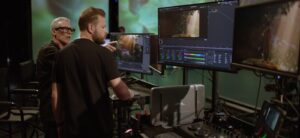
In this episode of Workflow Kitchen, Dave Helmly from Adobe joins us to walk through where Premiere, Firefly, and Frame.io are headed. Watch now.
“That person sitting in that chair with that 10,000 hours, they have the eye. They have the skill. AI is just another tool for them.”
DAVE HELMLY
Director of Strategic Development, Professional Video, Adobe
Discussion Highlights
The Creator Controls the Switches
Adobe’s view on AI starts with who’s in charge. Dave’s point is that the editor with 10,000 hours behind them still brings the eye and the skill, and AI is just another tool in their hands. That’s why Adobe is bringing Firefly directly into its apps, starting with AI-generated layers in Photoshop, instead of sending creators out to a separate site.
Talk to Your Timeline
Imagine telling Premiere to set up a two-person podcast project, tag the RED clips as [RED], and add three audio tracks, all with a click of the microphone. These agentic tools are still in Adobe’s labs, but the direction is clear: less time clicking through bins, more time editing. For assistant editors, Dave says, “this is going to make their job even easier.”
From a Ramble to a Rough Cut
New features now debut in the Firefly Video Editor on the web first. Quick Cut can take a 15-minute conversation and cut it down to three, and it’s headed to Premiere next. Stem separation goes further, pulling dialogue, music and ambience out of a single flat file so each can be balanced on its own.
The Cloud as a Workspace, Not a Warehouse
Frame.io mounts cloud projects as a desktop drive, so remote editors can cut native R3D without waiting on downloads or building proxies. On set, RED cameras record tethered to iodyne storage, and a watch folder can push that media to a central space the moment it lands. When the edit wraps, the media comes back down to a secure and encrypted drive.
Fewer Copies, Less Liability
Every extra copy of footage is another place it can leak, and every download from the cloud adds to that liability. Security used to feel bolted on and complicated. Now it has to be built into the workflow and fast enough to tap and go, which is why Dave carries an iodyne Pro Mini in his pocket, moving media from camera to drive to cloud without losing control of it.
Premiere in Your Pocket
The Premiere mobile app is free, with no sign-in and no watermark. It shoots ProRes RAW, exports in 4K and sends projects straight to Premiere on desktop. Connect it to an encrypted drive and your phone becomes a secure visual editor for the media you’re already carrying.
One Source of Truth for the Whole Team
Premiere Productions gives teams a locked-project workflow: see who’s working on what, open a colleague’s timeline read-only and pull selections into your own. It was battle-tested on Terminator: Dark Fate, and Dave says most people who discover it wish they’d found it sooner. Paired with a single read-only iodyne container for heavy 6K and 8K RED media, data moves in one direction and never gets copied.
A Color Grader Built for Editors
Premiere’s new Color Mode was three years in the making, led by colorist Alexis Van Hurkman. Its operations and groups work much like nodes, without the steep learning curve. It’s live now in the Premiere public beta, with five-minute training modules to get editors grading quickly.
Secure devices for agentic workflows
As you explore uncharted territories with software-integrated agentic tools iodyne’s storage devices provide a controlled environment for your projects. Our workflow experts and product engineers are happy to hear about your unique challenges and help you design an efficient solution for your project.
More episodes

Workflow Kitchen
iPhones, AI Filmmaking, and the Power of Data Workflow Design

Workflow Kitchen
From Big Trucks to Backpacks: Broadcast goes Mobile

Workflow Kitchen